


How to Get Documents Signed Online in Under 5 Minutes

Learning how to get documents signed online is one of the highest-leverage skills you can develop in 2026. Whether you're closing a deal, hiring a new employee, or finalizing a lease — waiting days for a physical signature is a relic of the past. With the right tool, you can have a legally binding, signed document in your inbox in under 5 minutes.
Here's the complete step-by-step guide using WeSignature, the fastest and most affordable e-signature platform available today.
What You'll Need
- A WeSignature account (free to sign up, no credit card required)
- Your document in PDF, Word, or common file format
- The signer's email address
That's it. No software installs, no legal training required.
Step-by-Step: Sign a Document Online in 5 Minutes
Step 1: Upload Your Document (30 seconds)
Log in to WeSignature and click 'New Document.' Upload your PDF, Word doc, or image file directly from your computer, Google Drive, or Dropbox. WeSignature supports all major file formats and automatically converts them for signing.
Step 2: Add Signature Fields (60–90 seconds)
Use the drag-and-drop editor to place signature fields, date fields, initials, checkboxes, or text inputs exactly where you need them. You can add fields for multiple signers and assign each field to the correct recipient. WeSignature's smart field detection can also auto-suggest placement based on common document types.
Step 3: Add Signer(s) and Customize the Message (30 seconds)
Enter the signer's name and email address. Add a personalized message if you like, or use one of WeSignature's pre-written templates for contracts, NDAs, or agreements. You can also set signing order if multiple parties are involved.
Step 4: Send for Signature (10 seconds)
Click 'Send.' Your signer receives an email instantly with a secure link, no account required on their end. They can sign from any device: desktop, tablet, or smartphone.
Step 5: Receive the Signed Document (Varies)
Most signers complete documents within minutes of receiving the request. You'll get a real-time notification the moment they sign, and both parties automatically receive a copy of the completed document along with a certificate of completion and full audit trail.
Total elapsed time from upload to sent request: under 3 minutes. Most documents come back signed within the same hour.
Pro Tips for Faster Document Turnaround
- Use Templates: If you send the same document repeatedly (NDAs, contracts, offer letters), save it as a template to cut prep time to under 30 seconds next time.
- Enable SMS Reminders: WeSignature can send automated text reminders to signers who haven't completed their document after 24 hours.
- Bulk Send: Need 50 people to sign the same document? Use WeSignature's bulk send to deploy all of them at once, with personalized fields for each recipient.
- Mobile Signing: Share the signing link directly via WhatsApp, iMessage, or any messenger for even faster completion rates.
Is an Online Signature Legally Binding?
Yes — in most countries worldwide. Electronic signatures created with platforms like WeSignature comply with the ESIGN Act (USA), UETA (USA), eIDAS (EU), and similar laws in Canada, Australia, and India. The key requirements — signer intent, consent, and an audit trail — are all satisfied by WeSignature's process.
Every completed document includes: a timestamp, the signer's IP address, email verification, and a tamper-evident digital certificate. This audit trail makes WeSignature signatures court-admissible.
Common Documents You Can Sign Online
- Client contracts and service agreements
- Non-disclosure agreements (NDAs)
- Offer letters and employment contracts
- Lease agreements and real estate contracts
- Invoices requiring client authorization
- Partnership agreements
- Insurance forms and consent documents
Why WeSignature Is the Best Tool to Sign Documents Online
When it comes to how to get documents signed online quickly and affordably, WeSignature is the clear winner in 2026. It's faster to set up than DocuSign, more affordable than Adobe Sign, and more feature-rich than basic free tools like HelloSign's free tier.
Start free today — no credit card, no commitment. Your first signed document could be sitting in your inbox before you finish your morning coffee.
Categories
Read More
Many people who explore Rhinoplasty in Islamabad often hear the term “thick skin nose” and wonder how it affects results. Thick nasal skin has more sebaceous glands and denser tissue, which can make nasal definition appear softer and less sharp. This does not mean rhinoplasty is ineffective; it simply requires specialized surgical planning, advanced techniques, and realistic...

🌐 CLICK HERE 🟢==►► WATCH NOW 🔴 CLICK HERE 🌐==►► Download Now https://iyxwfree24.my.id/watch-streaming/?video=xxx-videos-nadia-akter-bristy-xxxx-video-xxx-videos on youtube I will be gaming with fans and friends and expanding my fanbase beyond comparison, I want to be bigger than an artist or "rapper" so feel free to contact me to game on here and to Onfroy released his two first official...

Breeze Max In a world where comfort is no longer confined to fixed spaces, the demand for flexible, efficient, and intelligent cooling solutions has grown dramatically. Whether you're working from home, traveling, camping, or simply relaxing in different corners of your house, maintaining a cool and comfortable environment is essential. This is where Breeze Max steps in—a revolutionary...

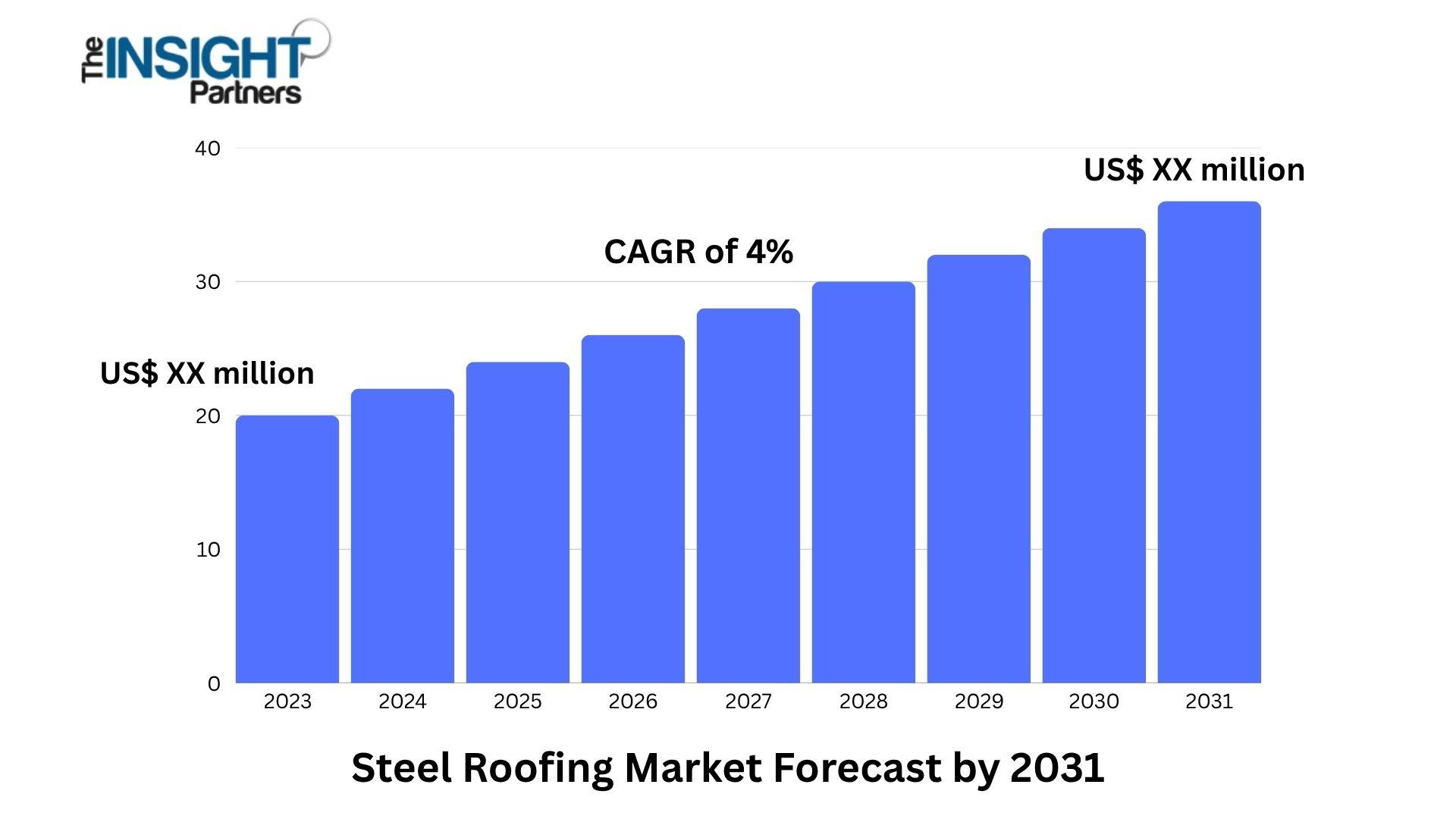
New York – 07 Nov 2025 The Insight Partners is proud to announce its newest market report, Steel Roofing Market: An In-depth Analysis of the Market. The report provides a holistic view of the market and describes the current scenario as well as growth estimates during the forecast period. Overview of Steel Roofing Market The Steel Roofing Market is undergoing steady growth, driven by the...
✅ CLICK HERE TO STREAMINGhttps://iyxwfree24.my.id/watch-streaming/?video=el-video-de-marianita-y-su-novio-que-se-fue-viral-en-ltube-y-x-antes-twitter&source=webExploring the Buzz: El Video De Marianita Y Su Novio Que Se Fue Viral En Ltube Y X (antes Twitter)On the diplomatic front, India and France are moving beyond simple procurement and into the "Co-Development" phase of defense El Video...
